This guide shows the current (new) way to connect Questrade to TradesViz.
Before continuing, please read the auto-import basics.
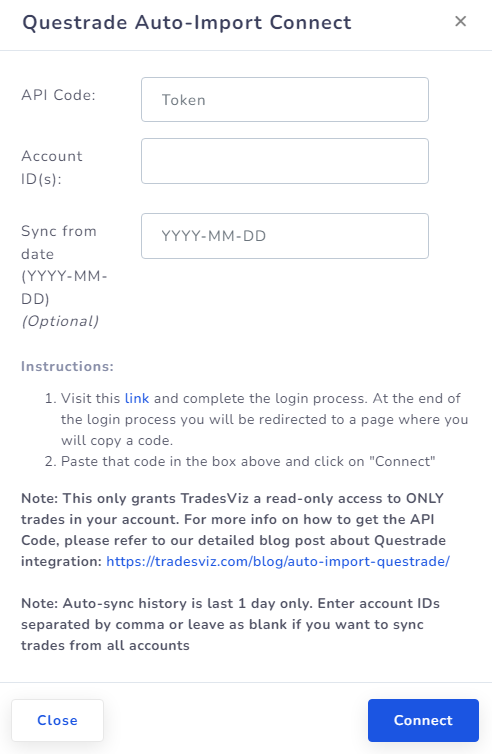
Quick setup (OAuth + account picker)
- In TradesViz, open Import/Export and choose your target trading account in Step 1.
- Select Questrade and click Continue to Questrade.
- Log in on Questrade and approve read-only access.
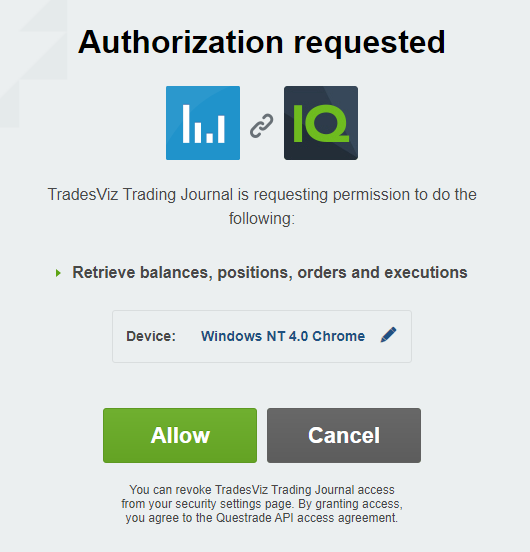
Note: If you see a red text below the device name that says "Please use only letters, numbers ...." then edit the device name by clicking on the pencil icon and enter only alphanumeric characters. Remove any special characters (ex, underscore, hyphen/dash should not be present) before clicking on the Allow button.
- If your Questrade login has multiple accounts, pick one in the TradesViz account picker in the last step.
- Click Connect Account, then click Sync.
Important: You no longer need to manually copy/paste API codes in this flow.
TradesViz only requests read-only permissions. We cannot place orders or move funds.
If you need help, contact [email protected].