
In this post, we will explore how to pair your TradesViz account with eToro.
This post assumes that you have read the basics about auto importing in TradesViz.
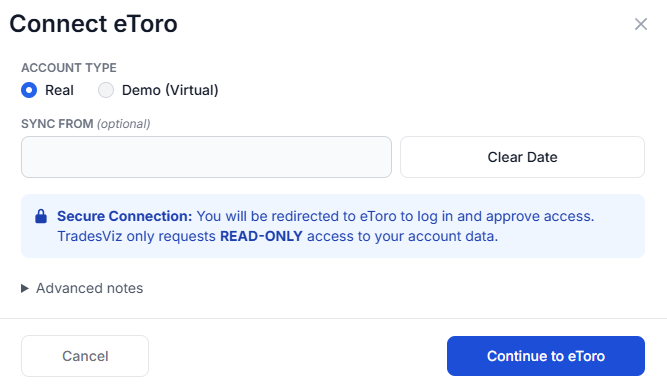
Once you select your trading account and broker as "eToro" in the trade auto-import page, a popup box will appear when you click on the "Connect account" button.
Quick setup (OAuth + account picker)
- In TradesViz, open Import/Export and choose your target trading account in Step 1.
- Select eToro, choose your account type, and click Continue to eToro.
Note: Do NOT set up both connection types in the same account - this will lead to duplicates due to different timestamps (historical data does not provide timestamps).
- Log in on eToro and approve read-only access.
- Click Connect Account, then click Sync.
TradesViz only requests read-only permissions. We cannot place orders or move funds.
If you need help, contact [email protected].